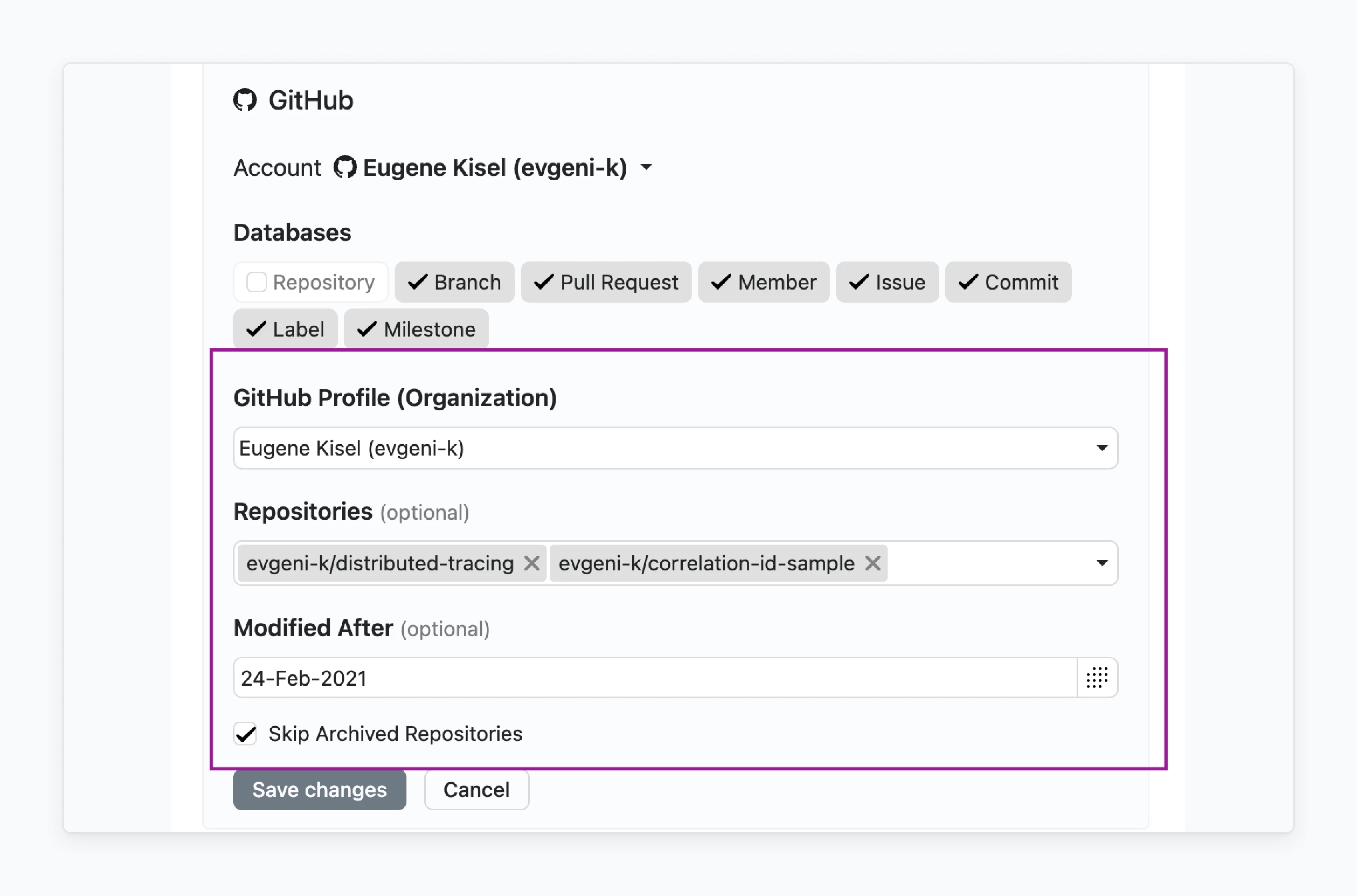
In Fibery, you can configure a set of Filters for integration with other applications. This is useful when you want to reduce the amount of data for synchronization, for example:
  • Data created or modified after the certain date.
  • Data from certain repositories, channels, groups.
  • Deleted or archived data.
  • Etc.
image.png Filter configuration includes following common Fields across different Filter types:
NameTypeDescriptionRequired
idtextUnique identifier
titletextDisplay name
optionalbooleanIndicates that user may leave Filter unset
typetextFilter type (a list of supported Filter types and their customizations can be found below)
securedbooleanSecured Filter values are not available for change by non-owner
defaultValueunknownFilter default value

Filter configuration sample

[
  {
    "id": "channels",
    "title": "Channels",
    "datalist": true,
    "optional": false,
    "secured": true,
    "type": "multidropdown"
  },
  {
    "id": "oldest",
    "title": "Oldest Message",
    "optional": false,
    "type": "datebox",
    "datalist": false
  },
  {
    "id": "excludeAppMessages",
    "title": "Filter out APP messages",
    "optional": true,
    "type": "bool",
    "defaultValue": false
  }
]

Text Filter

Simple text Filter available with type="text" : Screenshot 2024-01-31 at 16.08.06.png

Configuration sample

{
  "id": "text",
  "title": "Text",
  "type": "text"
}

Number Filter

Simple number Filter available with type="number" : Screenshot 2024-01-31 at 16.09.11.png

Configuration sample

{
  "id": "number",
  "title": "Number",
  "type": "number"
}

Single Date Filter

Simple single date Filter available with type="datebox": Screenshot 2024-01-31 at 15.46.05.png

Configuration sample

{
  "id": "oldest",
  "title": "Oldest Message",
  "optional": false,
  "type": "datebox"
}

Checkbox Filter

Simple true/false Filter available with type="bool": Screenshot 2024-01-31 at 15.50.46.png

Configuration sample

{
  "id": "excludeAppMessages",
  "title": "Filter out APP messages",
  "optional": true,
  "type": "bool"
}

Single Select Filter

Filter based on predefined values which is rendered as Single Select. Connector should provide available values via datalist endpoint. Following attributes should be specified:
  • type="list"
  • datalist=true
Screenshot 2024-01-31 at 16.00.19.png

Configuration sample 1

{
  "id": "group",
  "title": "Group",
  "datalist": true,
  "type": "list"
}
Also, it’s possible to configure this Filter as a datalist dependent from another datalist (e.g., user should first select organization and only afterwards repository). It can be achieved by specifying datalist_requires attribute where value is an array of ID of another datalists .

Configuration sample 2

[
  {
    "id": "group",
    "title": "Group",
    "datalist": true,
    "type": "list"
  },
  {
    "id": "project",
    "title": "Project",
    "datalist": true,
    "type": "list",
    "datalist_requires": [
      "group"
    ]
  }
]

Multi Select Filter

This Filter is based on predefined values which are rendered as Multi Select Field. The connector should provide available values via datalist endpoint. Following attributes should be specified:
  • type="multidropdown"
  • datalist=true
Screenshot 2024-01-31 at 16.03.54.png

Configuration sample 1

{
  "id": "groups",
  "title": "Groups",
  "datalist": true,
  "type": "multidropdown"
}
Also, it’s possible to configure this Filter as a datalist dependent from another datalist (e.g., user should first select organization and only afterwards repository). It can be achieved by specifying datalist_requires attribute where value is an array of ID of another datalists

Configuration sample 2

[
  {
    "id": "group",
    "title": "Group",
    "datalist": true,
    "type": "list"
  },
  {
    "id": "projects",
    "title": "Projects",
    "datalist": true,
    "type": "multidropdown",
    "datalist_requires": [
      "group"
    ]
  }
]
https://cdn.jsdelivr.net/gh/jdecked/twemoji@latest/assets/svg/1f440.svg
If you haven’t found applicable Filter, please contact us in the support chat or in the community.