Queries
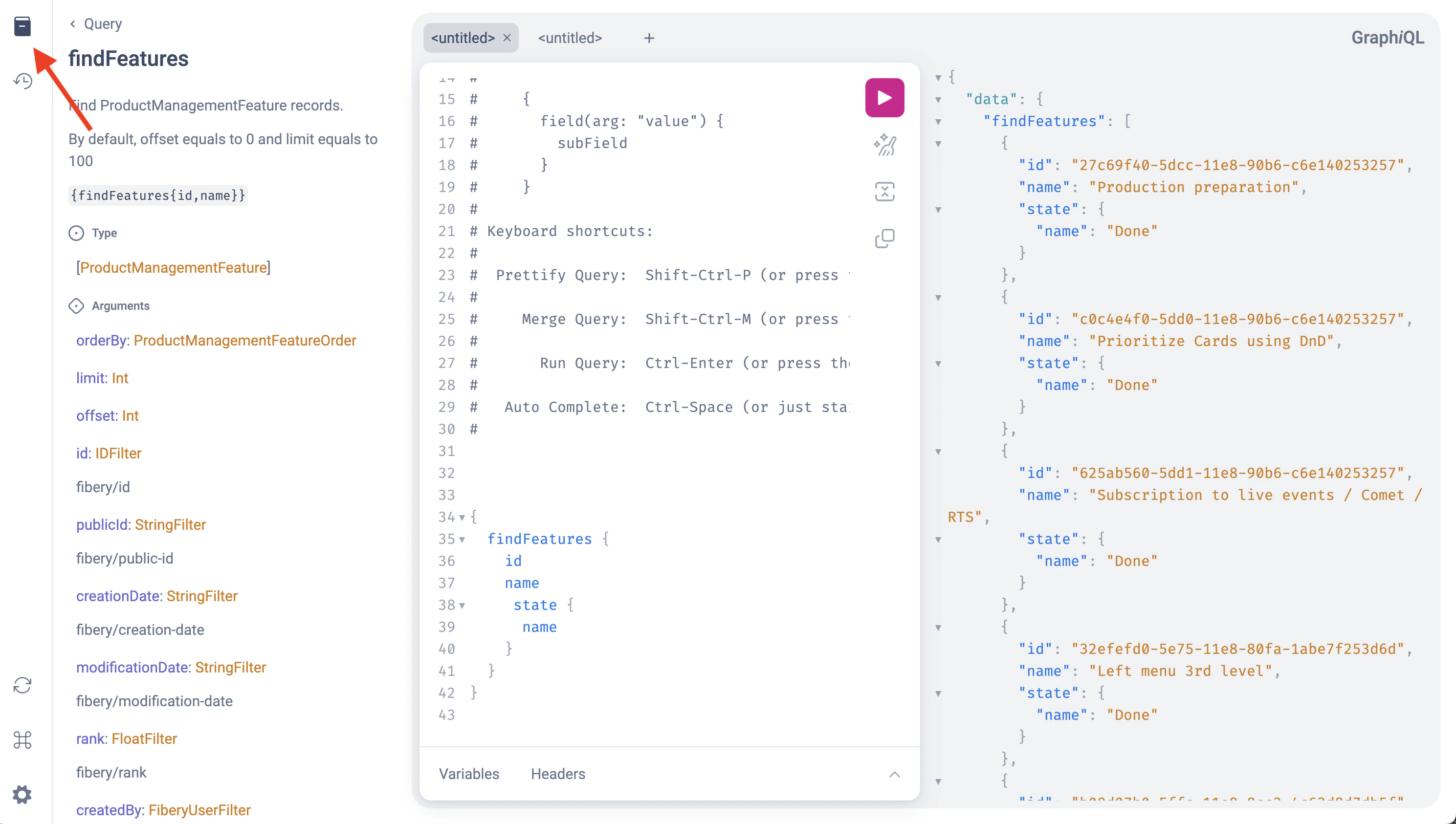
The list of entities can be retrieved from the database by usingfind query which is defined for every database for each space. For example findBugs, findEmployees.
Find more information about GraphQL queries here.
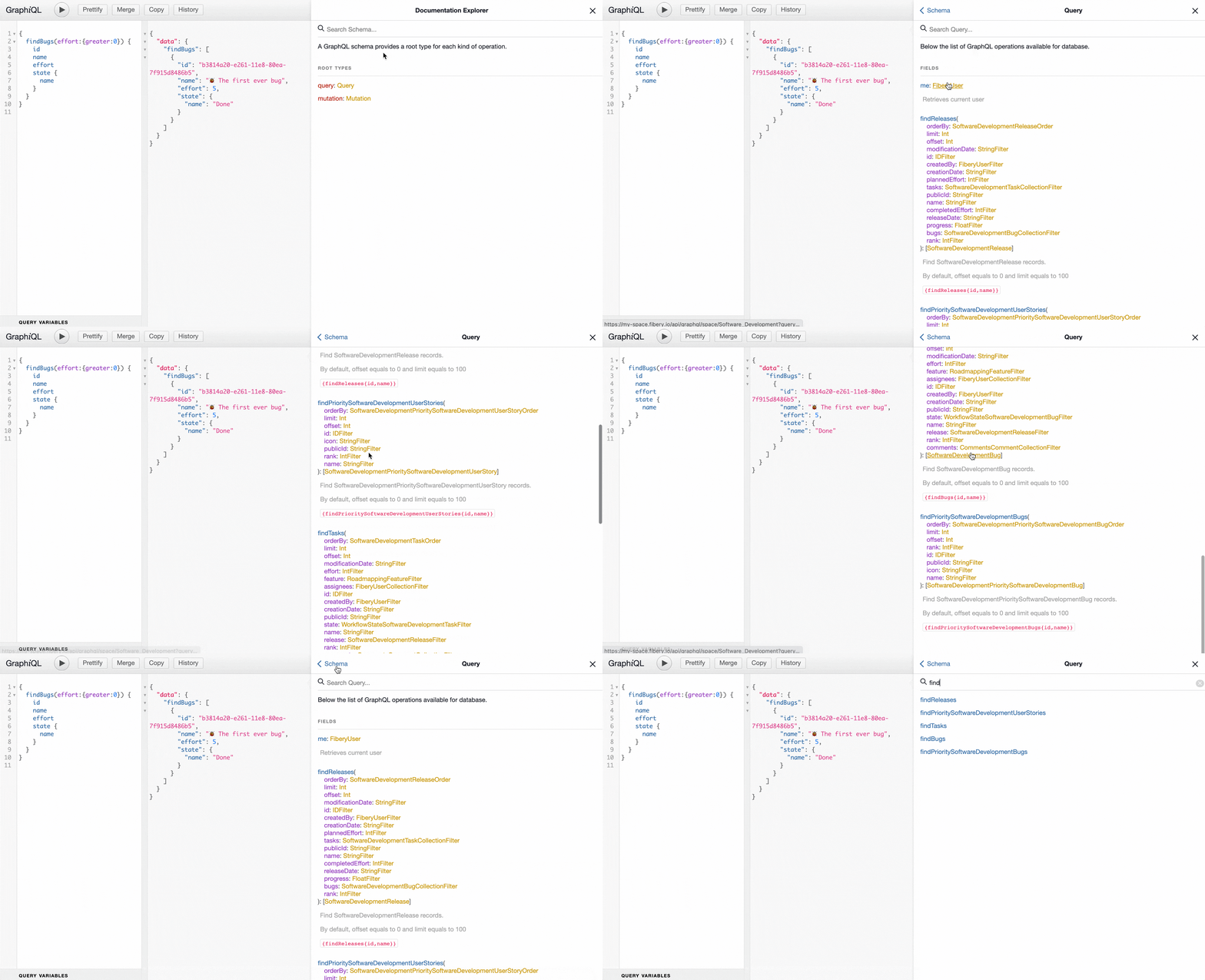
List of entities
UsefindXXX without arguments to retrieve all records, but note that there is a limit of 100 by default, so use offset and limit to retrieve data page by page if it is required.
Filtering
There is a variety of filtering capabilities for each database including filtering by one-to-one fields or inner lists content. Filters can be applied by providing filtering arguments for find queries. The filter operators available can be discovered through autocomplete while creating a query in GraphiQL.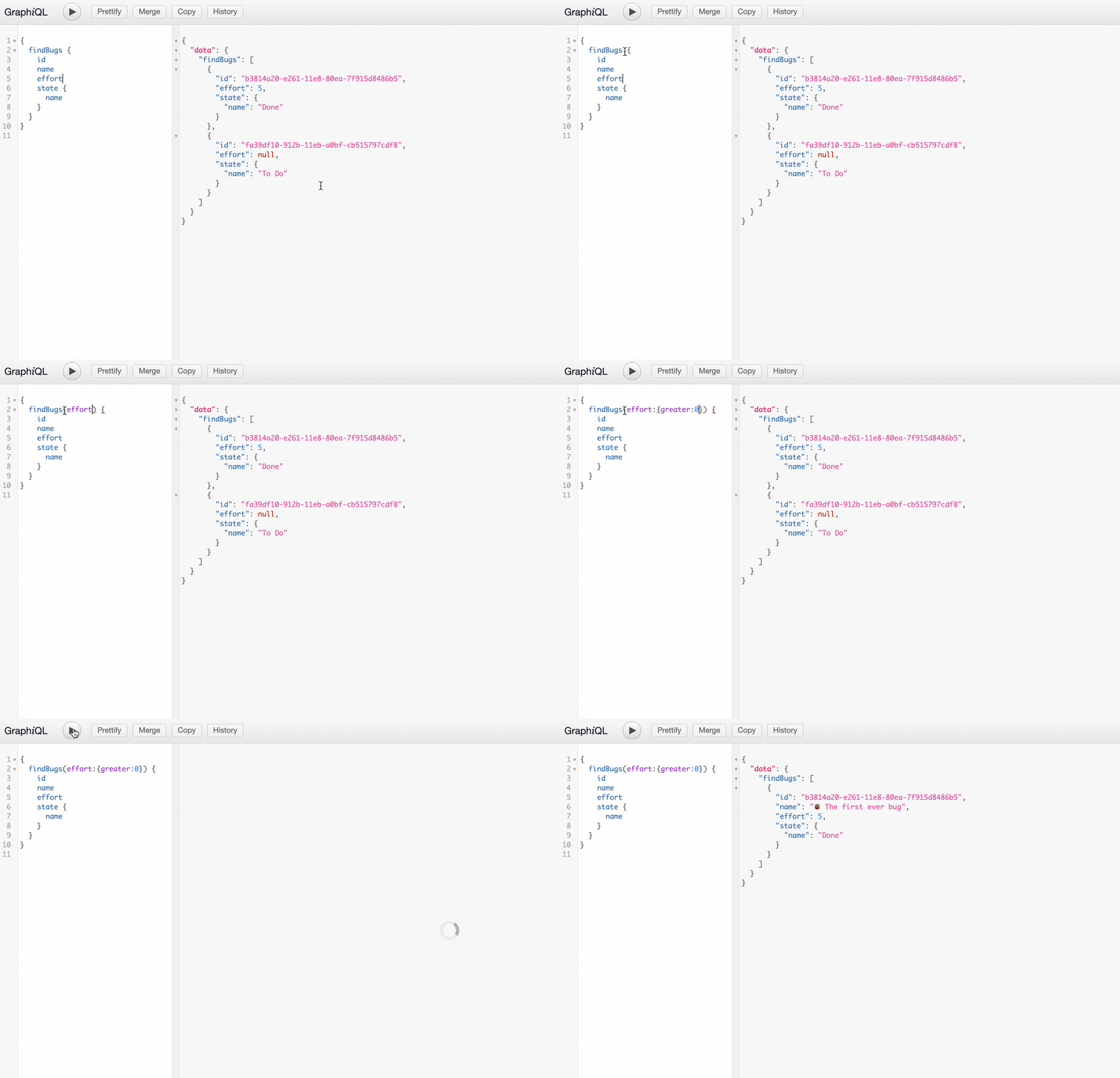
Filtering by inner lists
The database can be filtered by content of inner list, but it is a bit different from filtering by one-to-one or native fields. For example the query to the left allows to find releases which contains bugs in “Open” state or with effort greater than 0. The following operators can be used for filtering database by inner list:Filtering inner lists
The inner list of database can be filtered in the same way the database filtered. For example if you want to show only “To Do” bugs for releases: Sample of filtering inner listSorting
The database or content of inner lists of the database can be sorted usingorderBy argument which can be applied for native fields or one-to-one properties.
Rich fields and comments
You can download content of rich text fields or comments in four formats:jsonString, text, md, html.
File fields
You can query for public file url which will be valid for 60 minutes usingurl
Paging and limits
By default, find database query returns 100 records. The default can be changed by settinglimit argument. Use offset argument to retrieve next page if the current page contains 100 records (or equals to limit value).
Retrieve first page (limit is 3)